baobab

A browser that doesn't waste your data.

Reader mode auto-saves bandwidth on slow connections. Built on Cloudflare's African edge. Open in Yoruba, Swahili, Hausa.

Download for Windows · 1.9 MB What's inside →

Latest: desktop-v0.1.0-r30 · Linux AppImage + .deb also available

Why

Most browsers were designed somewhere else.

The dominant browsers assume gigabit fibre, infinite RAM, and that the nearest CDN is less than ten milliseconds away. None of those things are reliably true on the African web. Baobab starts from where the connection actually is: a metered 4G handset, an MTN data bundle, a 2G corner of a rural network. The product is designed around that constraint, not in spite of it.

Sovereignty isn't a feature here, it's the spine. Your browsing stays local by default. Optional sync stores bookmarks, history and chats on Cloudflare's edge — with the explicit goal of African regions when they ship (D1 and R2 sit in the EU region today as a pragmatic stopgap). We never sell your data, share it with third parties, or train models on it. Settings → Sovereignty shows you exactly where each read came from.

A browser is the right shape for this. Cookies, navigation guards, ad-block scope, data-residency commitments — they all live at the browser layer. Apps inherit from it. If we want a different default, the browser is where it has to start.

The Sahel palette, the baobab tree, the Adinkra motifs — these aren't decoration. They're the visual reminder of who the product is for. We built it to be ours.
What's inside

Six features that earn their weight.

Reader Auto-Savings

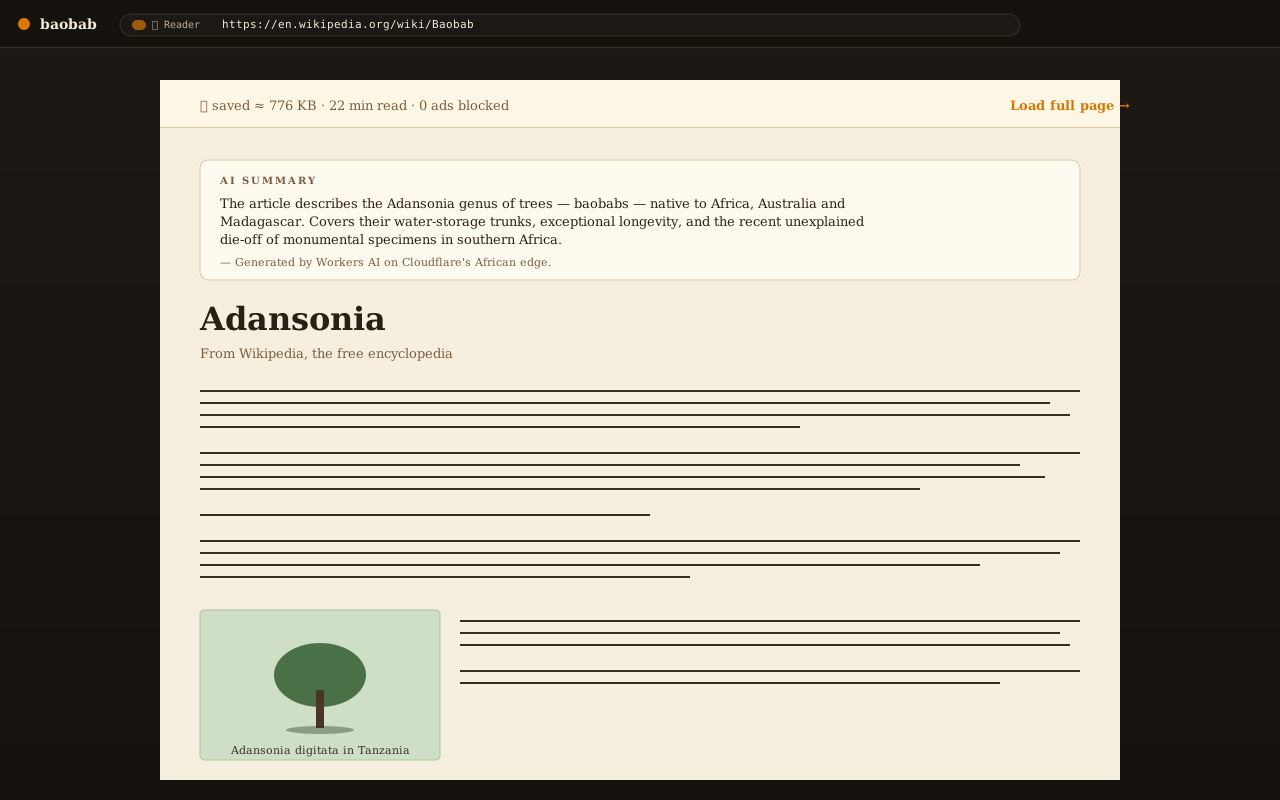
On slow connections a 3-second countdown intercepts heavy pages and renders a clean text version instead — typically 80–95% lighter on news sites. The tab never fetches the heavy page when Reader is chosen.

  • Domain skip-list (search engines, gmail, github, login flows) bypasses automatically
  • AI summary opt-in via a Summarize pill so slow-mode renders are fast first
  • Savings feed your daily data gauge
Baobab Reader mode rendering an article with a saved-data header

The Grove · multi-profile

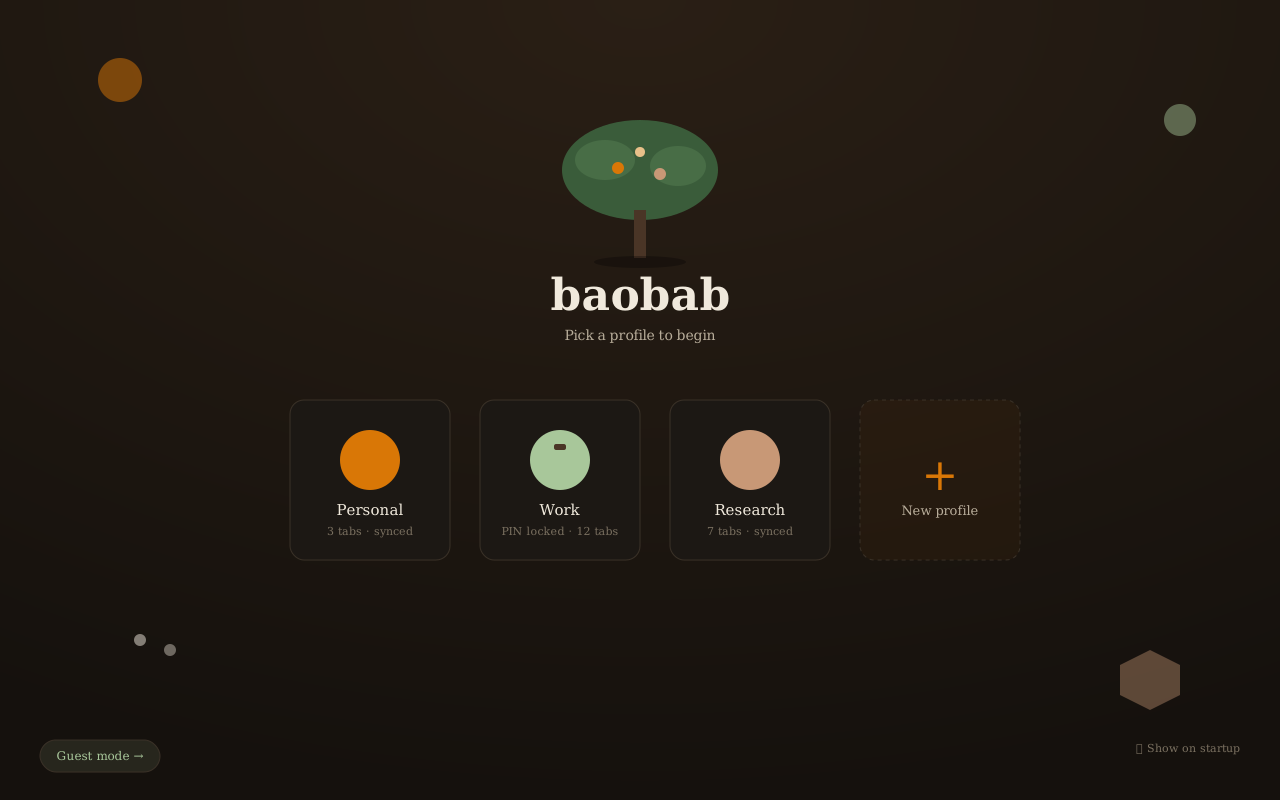
Chrome-style profile windows with real per-profile cookie isolation (each profile gets its own WebView2 data directory). Optional 4-digit PIN per profile for shared computers, with progressive lockout on wrong attempts.

The Baobab Grove profile picker

Translate without leaving the browser

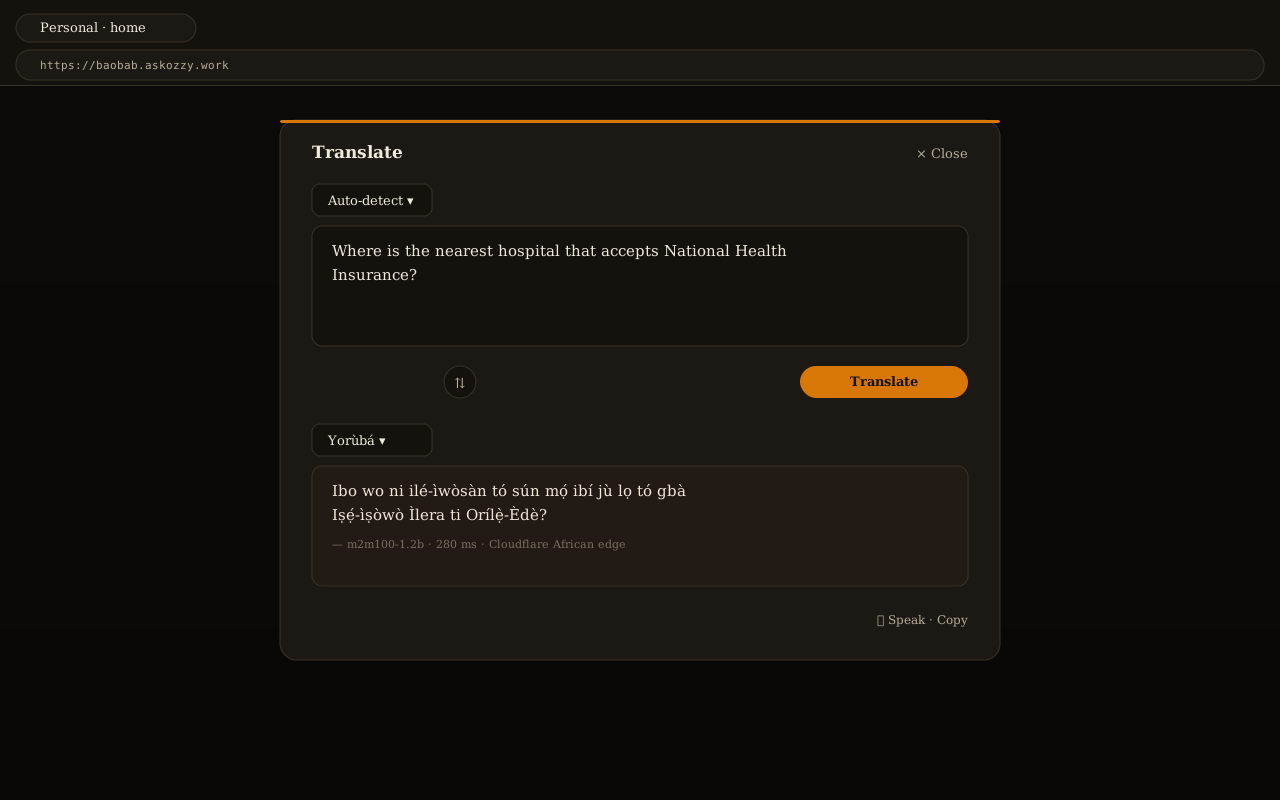
TranslatePad opens with one shortcut and translates between English, Yoruba, Swahili, Hausa, Amharic, Wolof, Zulu, French and Arabic — m2m100-1.2b on the worker, Llama fallback.

Baobab TranslatePad open in the chrome

Ad-blocker with YouTube skip

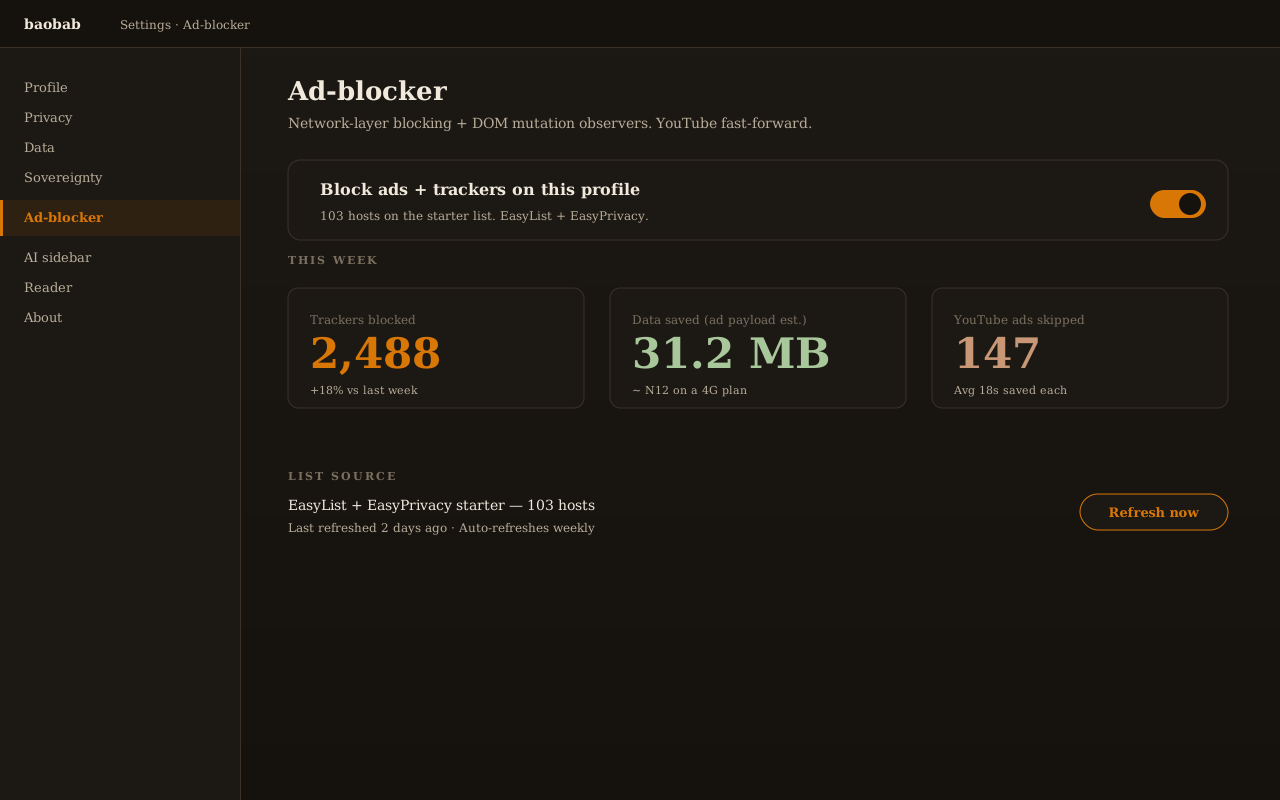
103-hostname starter list from EasyList + EasyPrivacy. YouTube ads auto-skip via DOM fast-forward (the player jumps to the end of the ad whenever one's detected). Per-profile, default ON.

Settings ad-block section

Data gauge + daily budget

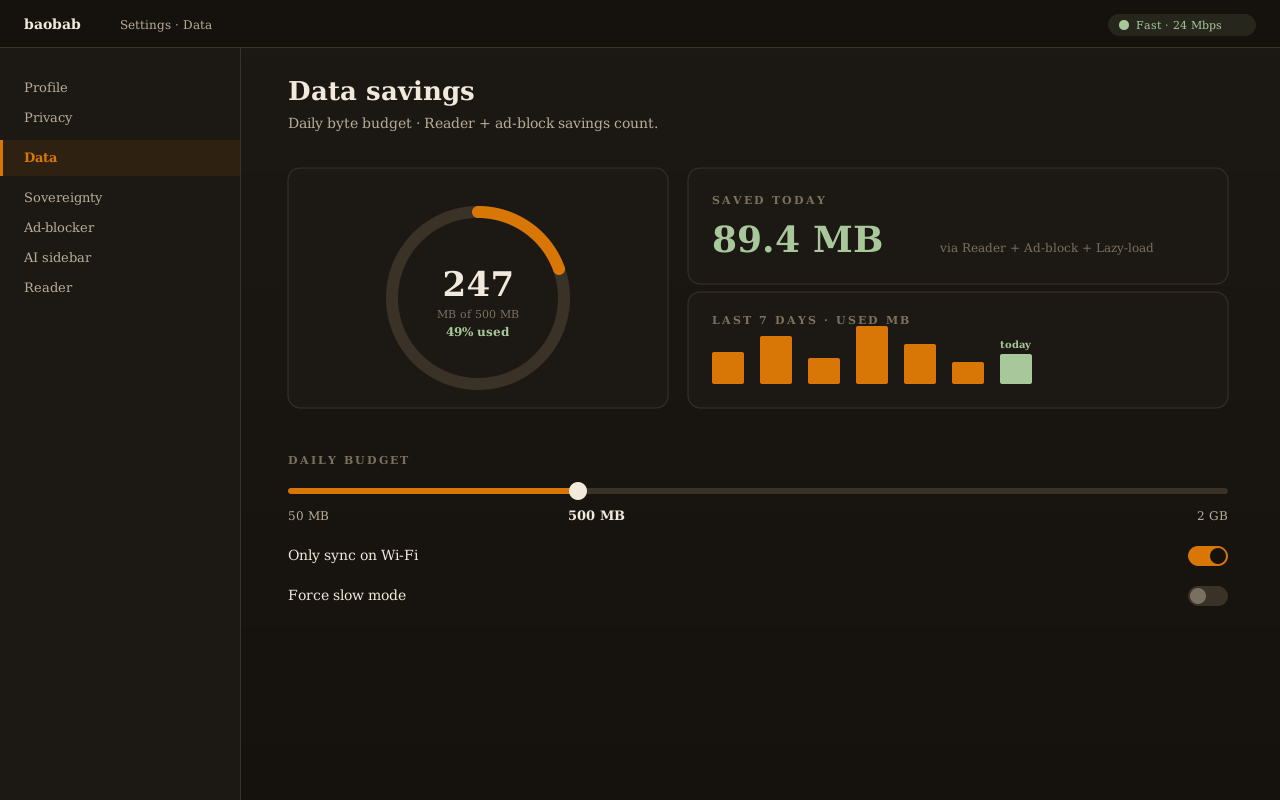
Set a daily byte cap. Toasts warn at 80% and again at 100% (auto-enables slow-mode at 100%). Reader savings count alongside ad-block savings. Wi-Fi-only sync (default ON) defers history and bookmarks pushes to Wi-Fi-class connections.

Settings Data section with byte gauge and sparkline

Sovereignty

Your data lives where you can see it.

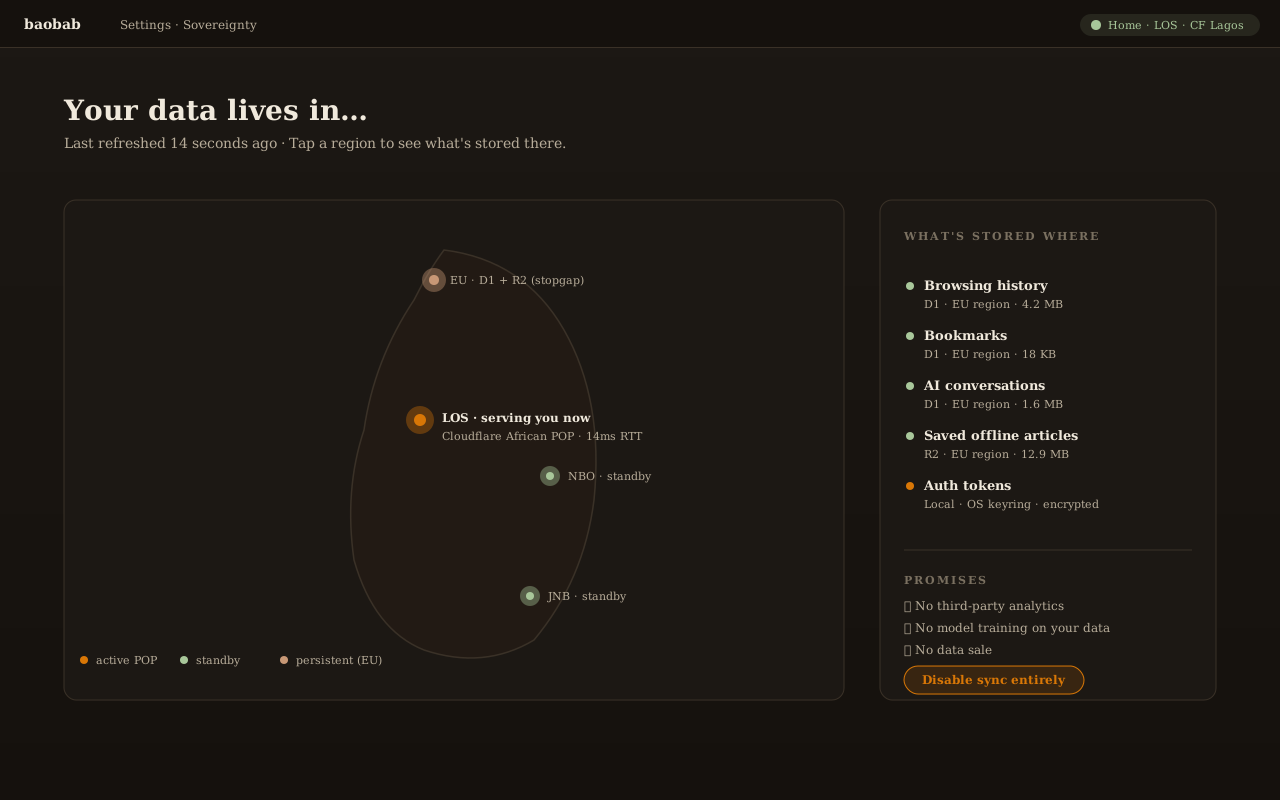
Baobab Sovereignty Dashboard showing where your data lives — Cloudflare African POPs serve reads, EU region holds persistent storage

What's stored where

Your bookmarks, history, and chats sync to Cloudflare D1 (structured data) and R2 (content). Both are in the EU region today; we're moving to African regions when Cloudflare ships them. Auth tokens live in the OS keyring, encrypted at rest.

What we never do

No third-party analytics. No model training on your data. No data sales. No tracking beacons embedded by us. Local mode disables sync entirely if you'd rather keep everything on this machine.

How you verify

Settings → Sovereignty shows which Cloudflare colo served your last reads, and which regions hold your persisted data. Toggle sync off at any time; the local profile keeps working without it.

Try it

Ask before you install.

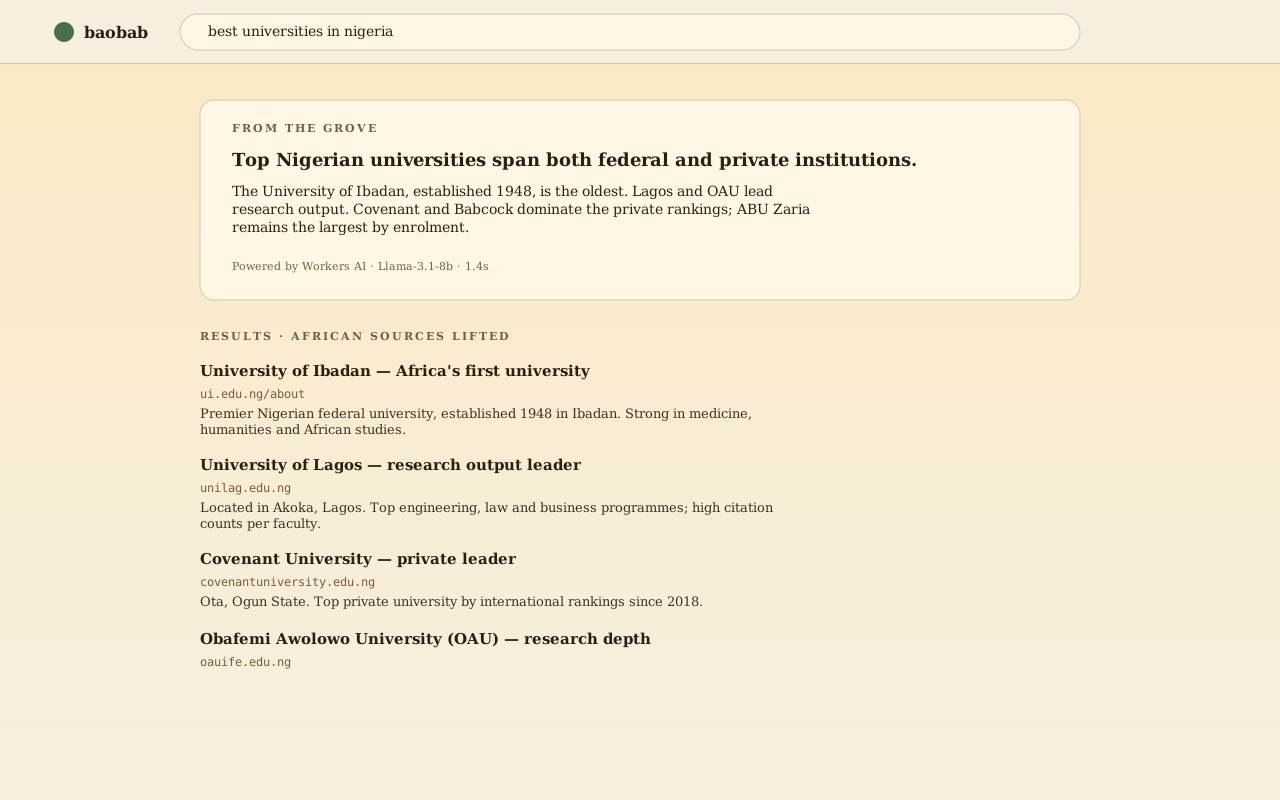
The same AI search that powers Baobab in-browser. Rate-limited for the demo; install the desktop app for unlimited use.

Powered by Workers AI on Cloudflare's African edge. Rate-limited; install Baobab for the full experience.

For you if

Find your slot.

If your data plan is the bottleneck

Baobab was built for you. The byte gauge, Reader mode, and Wi-Fi-only sync work together so 100 MB of mobile data goes further. Slow mode kicks in automatically; the daily budget is yours to set.

See Reader Mode →
If you're an engineer

The worker is Hono on Cloudflare. The desktop is Tauri 2 + React 18. Most routes are public. The design specs live in the repo. Read the notes, fork what you want, file what doesn't work.

View the repo →
If you're abroad and curious

The manifesto above is the short version. The longer story is in the design docs and the source. Read about the choices we made and why — the why matters more than the what.

Read the manifesto →
If you run an organisation

Multi-profile windows with real cookie isolation per profile. Sovereignty Dashboard surfaces your data residency for compliance review. Volume install via MSI is on the roadmap (Q3 2026).

Talk to us →

Try it now.

1.9 MB · Windows · Linux (AppImage, .deb) · macOS coming back · Android in roadmap

Download for Windows · 1.9 MB

View all releases →